App Flavors in Flutter: One Codebase, Every Environment
Subtitle: The same binary has to talk to a local mock, a staging server, and production — each with a different name, icon, and set of keys. Flavors turn that into a build-time choice instead of a comment you forgot to uncomment.
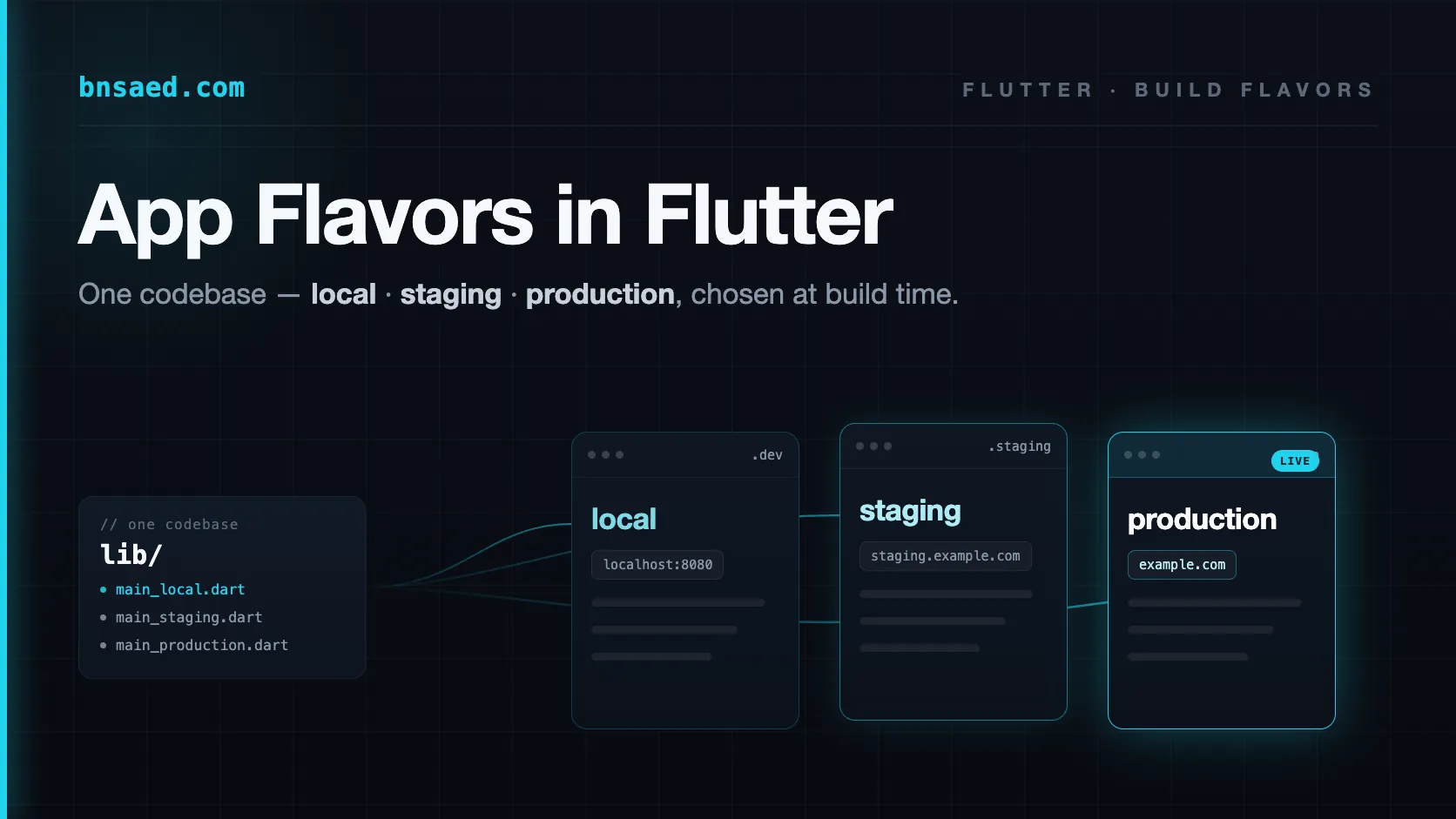
Every real app lives in more than one world. On my machine it should hit a local backend I can break freely. In QA it should point at a staging server with test data. In the store it must talk to production — and nothing else, ever. Along the way the app name changes (MyApp vs MyApp Staging), the icon changes so you can tell three installs apart on one phone, the bundle ID changes so they don't overwrite each other, and every analytics and crash-reporting key swaps to its matching project.
The naive way to handle this is a constant at the top of a file:
// Don't do this.
const apiBaseUrl = "https://api.example.com/"; // TODO: switch back to staging
That one commented-out line is how a debug build with a staging URL ends up in the App Store. The whole point of flavors is to delete that class of mistake: you pick an environment when you build, the tooling bakes the right configuration in, and there is no runtime toggle a human can leave in the wrong position.
I lead mobile on iStoria, a story-based English-learning app shipping to 5M+ learners on iOS and Android. We run three flavors — local, staging, and production — across a 60-module codebase, and the setup has caught more "wrong environment" mistakes than I can count. This guide is the generic version of what we do: the patterns, with invented examples, so you can lift them into any Flutter app.
What a flavor actually is
A "flavor" (Android calls it a product flavor; iOS reaches the same result with schemes and build configurations) is a named build variant of one codebase. Same source, different identity and configuration baked in at build time.
The trap is that a flavor is not one thing you configure in one place — it's a decision that has to line up across three layers:
1. Dart — which entry point runs, and which configuration it loads. 2. Android — the application ID, app name, and any native build fields. 3. iOS — the scheme and .xcconfig that select signing, bundle ID, and display name.
Get the Dart layer right but forget Android, and your "staging" build installs on top of production and reports to the production analytics project. The work is in keeping all three in sync — so the goal is to make each layer boringly declarative.
The Dart layer: an enum and thin entry points
Start with a single source of truth for "which flavor am I?" — an enum plus a tiny accessor class. No logic, just the flavor and the things that are derived from it:
enum Flavor { local, staging, production }

class AppConfig {
  static Flavor? current;

  // Different display name per flavor, so three installs are distinguishable.
  static String get appTitle => 'MyApp ${current?.name}';

  // Each flavor loads its own bundled config file (see next section).
  static String get configFile => '${current?.name}.config.json';
}
Then give each flavor its own main_.dart. These entry points stay deliberately trivial — set the flavor, then defer everything* to one shared bootstrap so startup logic never forks per environment:
// lib/main_staging.dart
import 'bootstrap.dart';
import 'app_config.dart';

Future<void> main() async {
  AppConfig.current = Flavor.staging;
  await bootstrap();
}
// lib/main_production.dart
Future<void> main() async {
AppConfig.current = Flavor.production;
await bootstrap();
}The rule that keeps this maintainable: an entry point is allowed to do exactly one thing — name its flavor. The moment main_staging.dart and main_production.dart start to drift (an extra initializer here, a different plugin there), you've lost the guarantee that all flavors run the same code. Push all real setup into bootstrap().
Config as data, not code
The flavor picks which configuration, but the configuration itself shouldn't be a switch statement buried in Dart. Keep it as data — one file per flavor, bundled as an asset:
// staging.config.json
{
  "apiBaseUrl": "https://staging.example.com/",
  "analyticsKey": "staging-a1b2c3",
  "enableDebugBanner": true,
  "featureNewOnboarding": true
}
Load it at boot and decode it into a typed model — not a raw Map. The type is what turns "someone added a key to staging but forgot production" from a null-pointer crash in the field into a build-time or first-launch error you catch immediately:
@JsonSerializable()
class Environment {
  Environment({
    required this.apiBaseUrl,
    required this.analyticsKey,
    required this.enableDebugBanner,
    required this.featureNewOnboarding,
  });

  final String apiBaseUrl;
  final String analyticsKey;
  final bool enableDebugBanner;
  final bool featureNewOnboarding;

  // Generated by build_runner — you never hand-write or mistype this.
  factory Environment.fromJson(Map<String, dynamic> json) =>
      _$EnvironmentFromJson(json);
}
// In bootstrap(), before you build the app:
final raw = await rootBundle.loadString(AppConfig.configFile);
final env = Environment.fromJson(jsonDecode(raw));
// `env.apiBaseUrl` is now a strongly-typed value the whole app reads from.Two things make this scale. First, code generation (json_serializable) writes the fromJson for you, so adding a field is a one-line change with no boilerplate to keep in sync. Second, because every config file is decoded into the same model, a missing or mistyped key can't hide — the deserialization fails loudly instead of silently handing you a null three screens later.
Android: product flavors
On Android, flavors live in android/app/build.gradle.kts. Each one sets the pieces that make builds coexist and identify themselves. The key move is applicationIdSuffix, which gives non-production builds a distinct package name so they install side by side with the store version:
android {
    flavorDimensions += "app"

    productFlavors {
        create("staging") {
            dimension = "app"
            applicationIdSuffix = ".staging"          // com.example.myapp.staging
            resValue("string", "app_name", "MyApp Staging")
        }
        create("production") {
            dimension = "app"
            resValue("string", "app_name", "MyApp")
        }
    }
}
resValue injects a per-flavor string resource (here the display name) without maintaining separate strings.xml files. If you need a native build-time constant your Kotlin code reads, a buildConfigField(...) entry does the same job on the native side. Keep this list aligned with the Dart flavors: same names, same count.
iOS: schemes and xcconfig
iOS has no direct equivalent of product flavors, so you assemble the same outcome from two Xcode primitives:
- Schemes — one per flavor (
staging,production). The scheme selects which build configuration runs and which entry point/target is used. .xcconfigfiles — plain-text build settings per flavor that drive the bundle identifier, display name, and signing.
It's more manual than Android — you're clicking through Xcode's target settings and duplicating build configurations rather than writing a tidy DSL block — but the result is identical: a staging scheme produces an app with its own bundle ID (so it installs alongside production) and its own display name. Once the schemes exist, day-to-day work is just picking the scheme, and CI selects it with --flavor.
Running and building
With the three layers in place, you never edit a file to change environments — you pass a flag. The --flavor selects the native variant and -t (target) selects the Dart entry point; they must agree:
# Run staging locally
flutter run --flavor staging -t lib/main_staging.dart

# Build a production release
flutter build ipa --flavor production -t lib/main_production.dart
flutter build appbundle --flavor production -t lib/main_production.dart
The one risk here is a human pairing the wrong --flavor with the wrong -t (staging flavor, production target). Don't rely on discipline — encode each combination once, in a build script or CI job, and let people invoke that:
# scripts/run_staging.sh — the only blessed way to run staging
flutter run --flavor staging -t lib/main_staging.dart
In CI, the same pairing lives in the pipeline definition, so a release build physically cannot be produced with a mismatched target.
Pitfalls worth pre-empting
A few failure modes show up on every large flavored app. Each has a cheap mitigation:
- Config drift between flavors. A key exists in
production.config.jsonbut notstaging.config.json, and staging crashes on launch weeks later. Mitigation: the typed model above — plus a tiny test that decodes every config file, so a missing key fails in CI, not in the field. - Secrets in the repo. Real API keys and tokens don't belong in committed config files. Mitigation: keep only non-sensitive values in versioned config; inject secrets at build time (CI environment variables,
--dart-define, or an untracked config that's generated during the build). - Forgetting a layer. The Dart side is perfect but the Android
applicationIdis identical across flavors, so staging overwrites production on the device. Mitigation: treat "add a flavor" as a checklist that touches Dart, Android, and iOS together — never just one. - Debug affordances leaking to production. A debug banner or a "switch environment" menu that ships to the store. Mitigation: gate them on the flavor (
if (AppConfig.current != Flavor.production)), not onkDebugModealone.
The payoff
Once flavors are wired properly, a whole category of incident simply stops happening. Three installs sit on my phone at once — local, staging, production — each with its own icon, none able to clobber the others. QA tests staging with total confidence it can't touch live data. Adding a fourth environment (a load-test backend, a demo build for a conference) is a diff: one config file, one entry point, one flavor block per platform.
That's the real value of build flavors. They cost a day to set up and they buy you a permanent guarantee that "which environment is this?" is answered by the build system, not by whoever last edited a constant. On a codebase shipping weekly to millions of users, that guarantee is worth far more than the day.
For the bigger picture on how iStoria stays shippable at scale, see the iStoria case study and the companion article on managing large Flutter codebases.